Disabling your Change.org account

Table of Contents
Disabling your Change.org account is a temporary action that prevents you from signing petitions with that email address, unsubscribes you from all marketing emails and suspends your Change.org membership. Unlike permanent account deletion, disabling is reversible - you can reactivate your account later by signing another petition. Your petitions will remain active even when your account is disabled. If you want to permanently remove your account and data instead, see Permanently delete your Change.org account.
How to disable your Change.org account
Log in to your Change.org account and click your profile icon in the top right corner of the page.

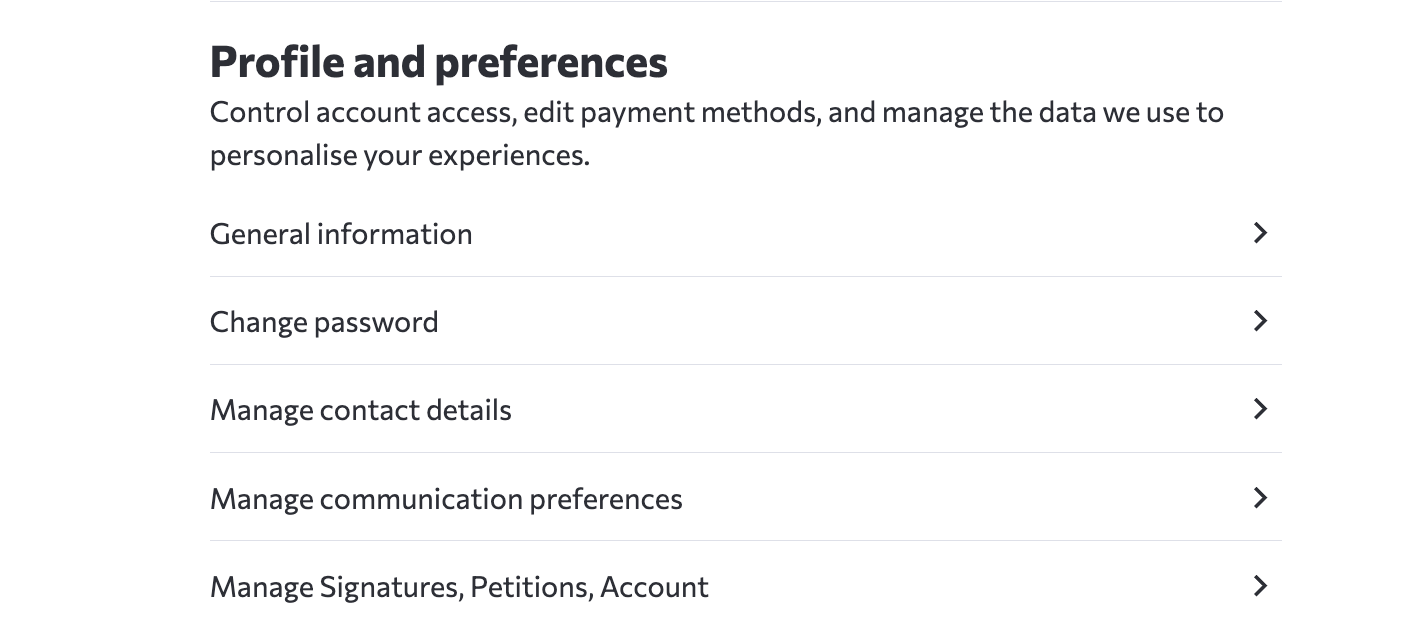
2. In Profile and preferences, select Manage Signatures, Petitions, Account to open Manage Assets.
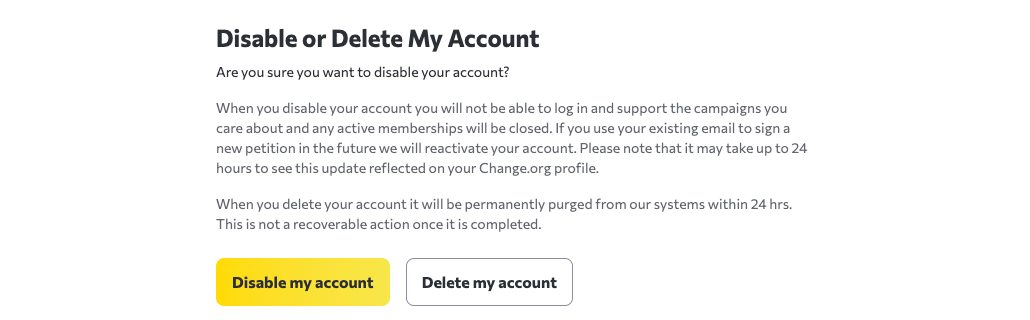
3. On the Manage Assets page, scroll to Disable or Delete My Account, then select Disable my account.
What happens when you disable your Change.org account
When you disable your Change.org account:
● You will not be able to sign petitions using that email address
● Your petitions will remain active and continue to collect signatures
● Your account data is preserved (not deleted)
Disabling vs. permanently deleting your account
It is important to understand the difference between disabling and deleting your Change.org account:
● Disabling your account: Temporary and reversible. You can do this yourself through Account Settings. Your account and data are preserved, and you can reactivate later by signing another petition with your registered email address.
● Permanently deleting your account: Permanent and cannot be undone. You can delete your account yourself from Manage Assets using the separate Delete my account button. This permanently removes your account and personal data. For permanent deletion instructions, see Permanently deleting your Change.org account.
If you want to permanently delete your account and all personal data, see Permanently delete your Change.org account.
What happens to your petitions when you disable your account
Important: Disabling your Change.org account does NOT delete or close your petitions. Any petitions you created will remain active on the platform and continue to collect signatures.
Disabling your account leaves your petitions active. To delete one, go to Settings, select “Manage Signatures, Petitions, Account,” open Manage Assets, and select Delete for the petition. See Delete your petition for full instructions and review exceptions.
How to reactivate a disabled Change.org account
If you disabled your Change.org account and want to reactivate it, simply access the Change.org website and sign another petition using the email address associated with your account. This will reopen your account.
If you receive a message that you need to contact Change.org when attempting to log in, or if you are having any other problems reopening your account, reach out to support for assistance.
Frequently Asked Questions
How do I disconnect Facebook from my Change.org account?
Go to the Disable Account page and click the Forget Facebook account button. This disconnects Facebook without disabling your entire Change.org account.
How do I stop receiving emails from Change.org?
You can manage your email preferences from your Change.org account settings without disabling your account. Visit the “Manage communication preferences” page in your account settings to unsubscribe from specific email types or all emails.